MyPath Account FAQ
Your MyPath account is your ACVP record where you can maintain ACVP membership and/or a customer account, update contact details, log MOC credits, register for the ACVP Annual Meeting, and keep your profile current. It is the best place to keep your ACVP record accurate so you receive the right communications and have complete access to member benefits.

MyPath
What is a MyPath account?
Your MyPath account is your ACVP record where you can maintain an ACVP membership and/or a customer account, update contact details, log MOC credits, register for the ACVP Annual Meeting, and keep your profile current. You are encouraged to keep your ACVP record accurate so you receive communications and have complete access to member benefits.
How do I renew my membership?
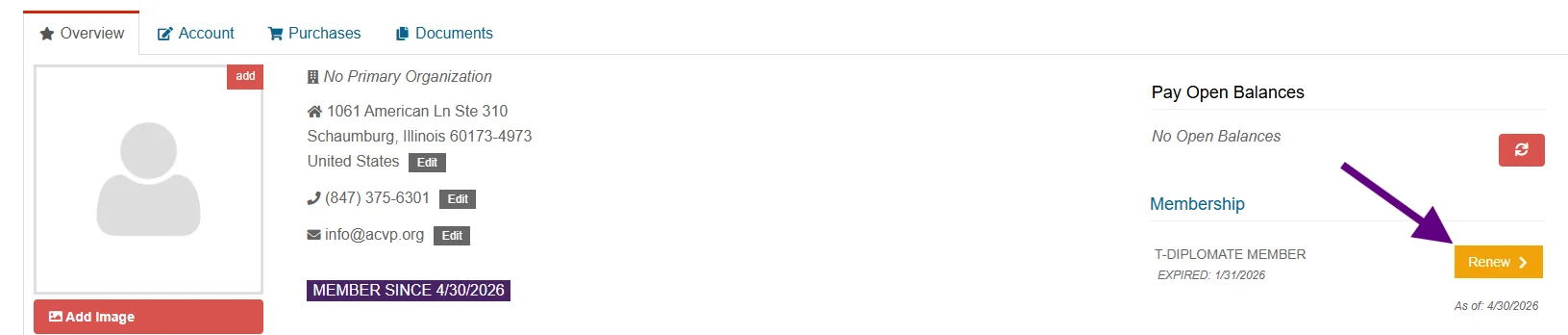
Sign in to your MyPath account to renew your membership. ACVP membership is paid annually for each membership year from July 1 through June 30, regardless of when payment is made for the prior membership year. If your membership type or status has changed, review your account details before renewing so your record is accurate.
How do I update my contact information?
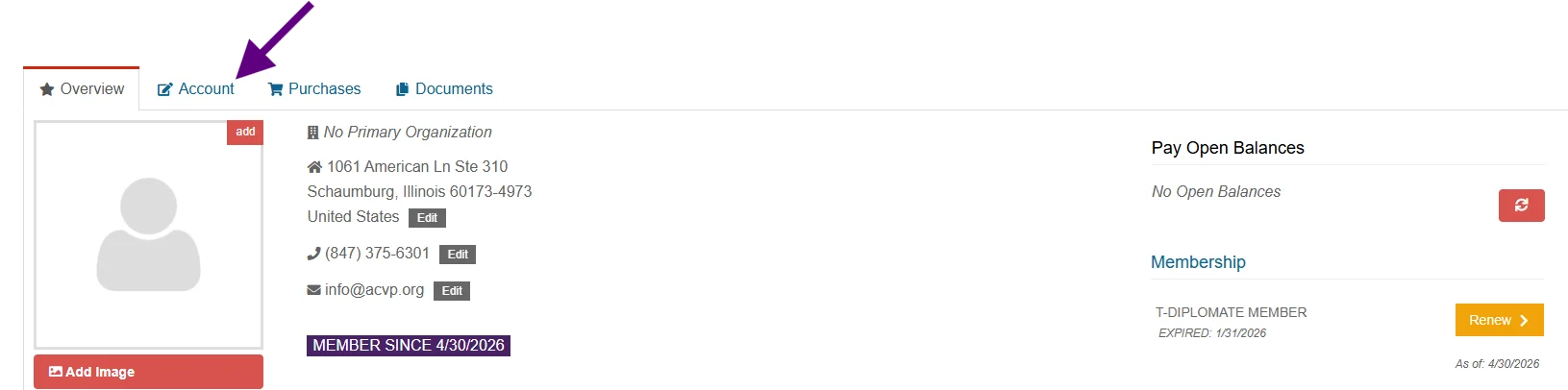
Sign in to your MyPath account and go to the Account tab, then open Contact Info to update mailing addresses, phone numbers, and email addresses.
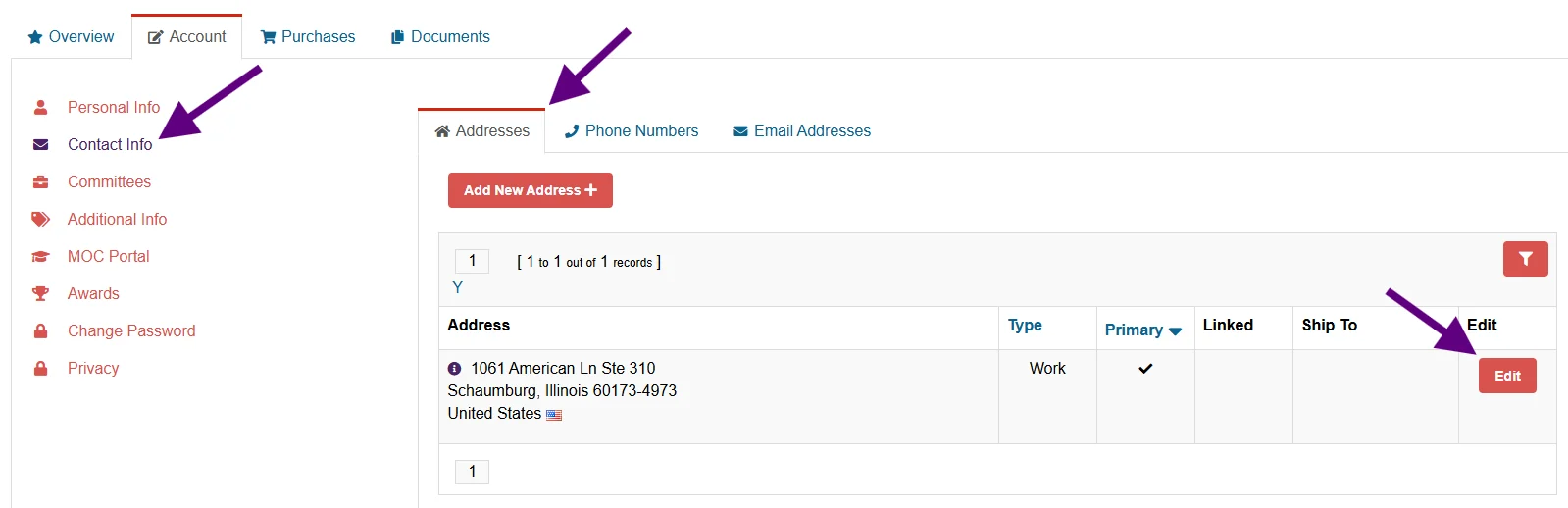
The email marked as primary is used for ACVP communication and serves as your username for signing in.
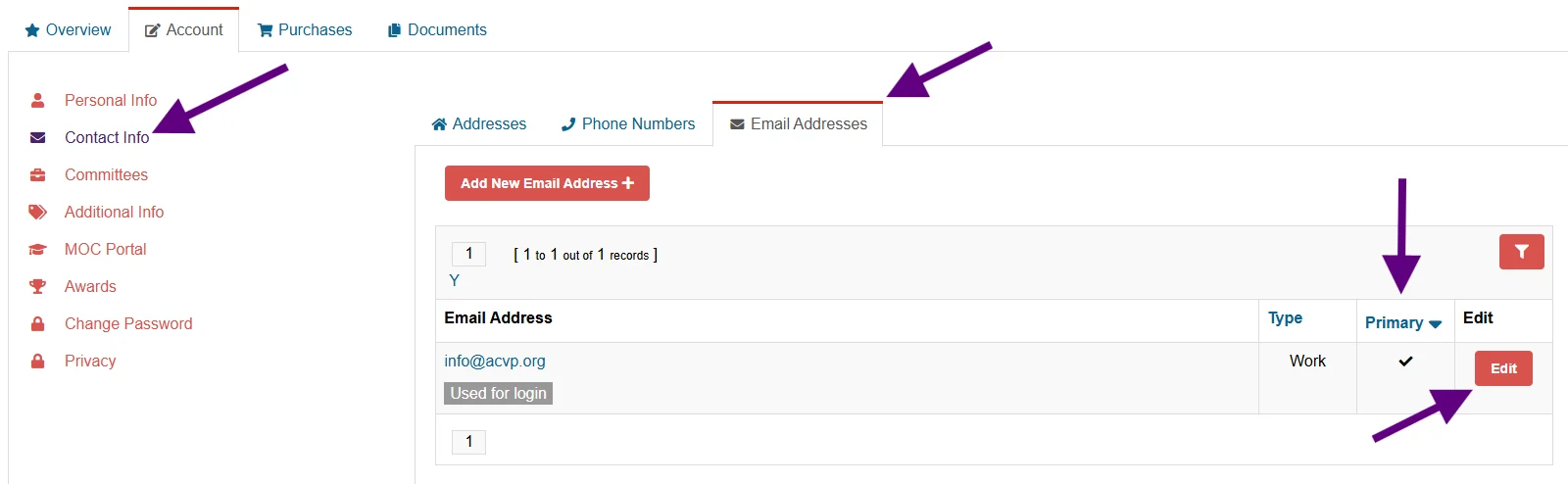
Keeping this information current helps ensure you receive membership notices, newsletters, and other ACVP updates.
How do I change my password?
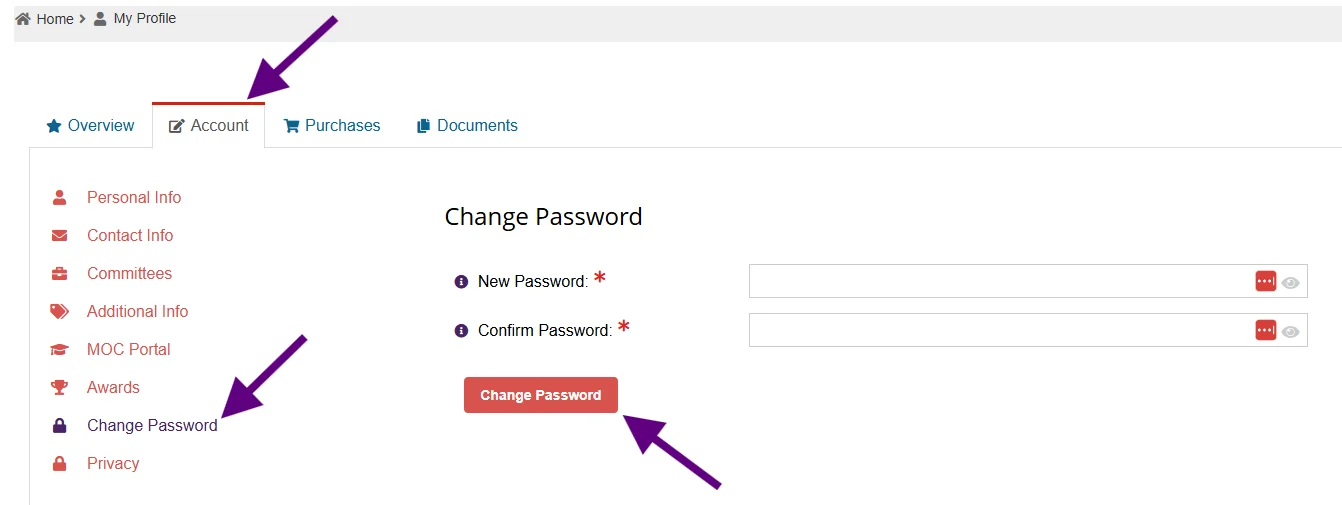
Use the Change Password option in the Account tab your MyPath account. Note: Before changing your password, please make sure your primary email address is current, as it is linked to your account login.
Can I add a photo to my profile?
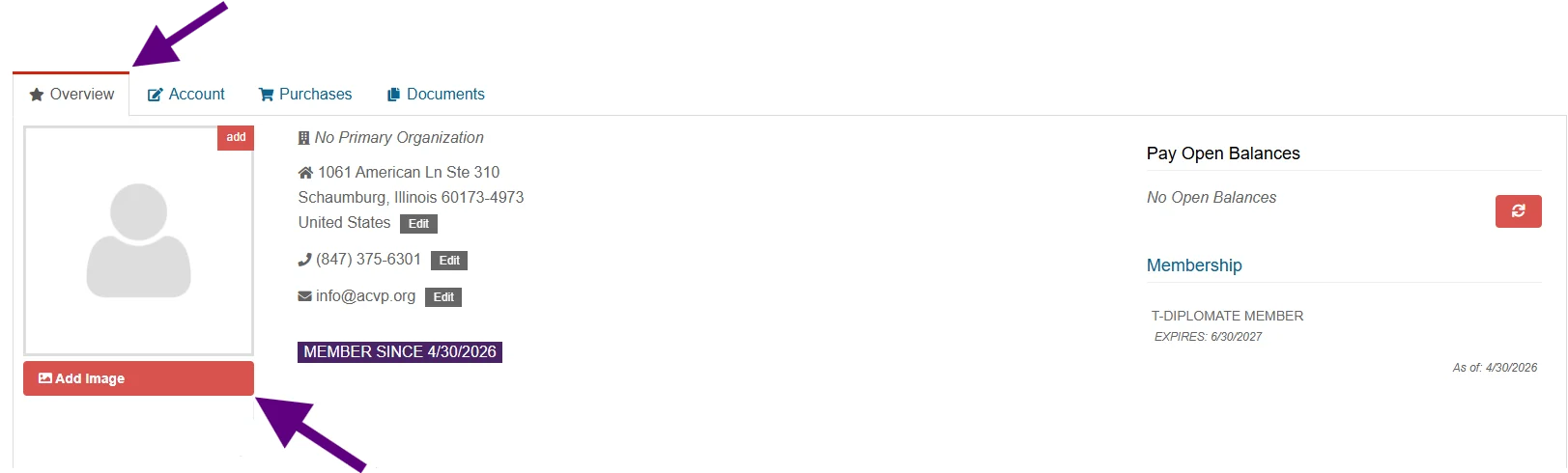
Yes. From Edit Personal Information on the Overview tab of your MyPath account, you can add a photo of yourself. If you choose to be listed in the Member Directory, your photo will show there for other members to see. The Overview tab also shows your primary contact details, open invoices, and current membership details.
How can I find contact information for other current ACVP members?
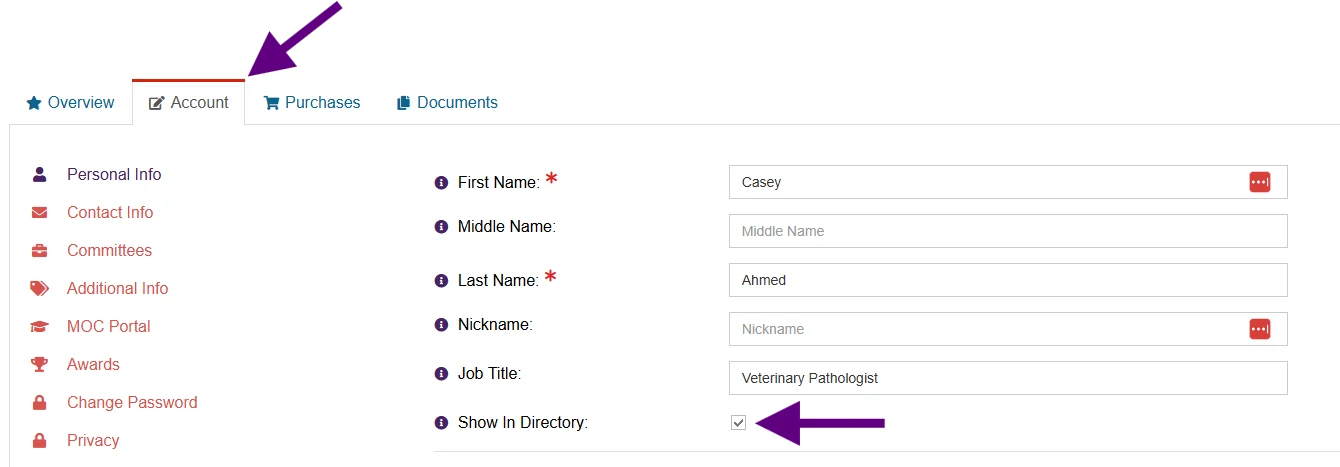
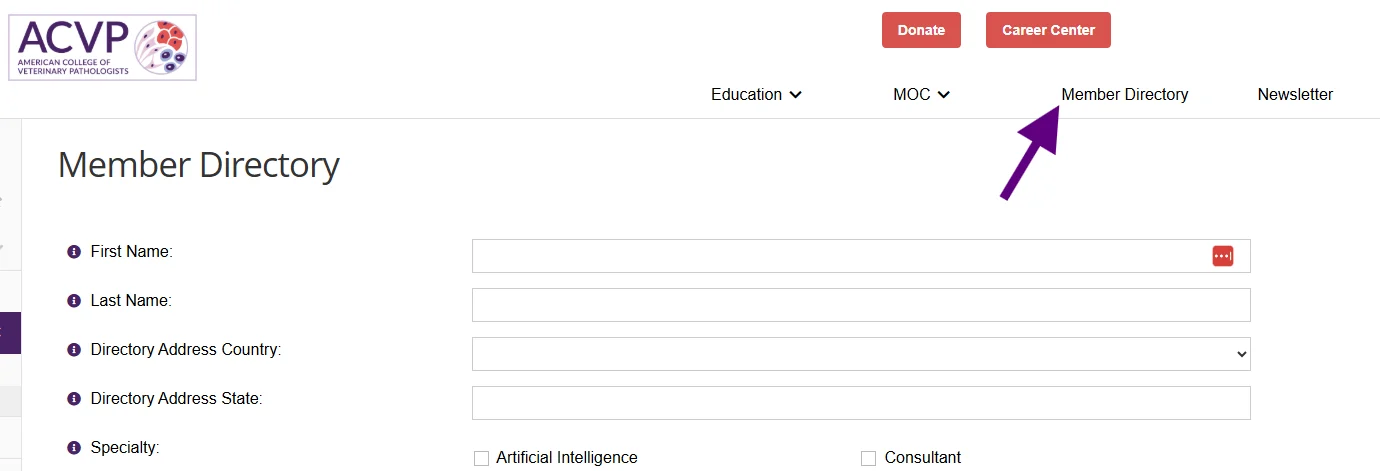
ACVP members can look up other members in the members-only directory. Search by first and last name, country, state, specialty, area of focus, primary employment setting, certification type, or species expertise. Member listings include name, email, phone, city, state, country, and photo. Opt in or out of the Member Directory on the Account tab of your MyPath account, by selecting or de-selecting “Show in Directory.”
How do I view awards or honors?
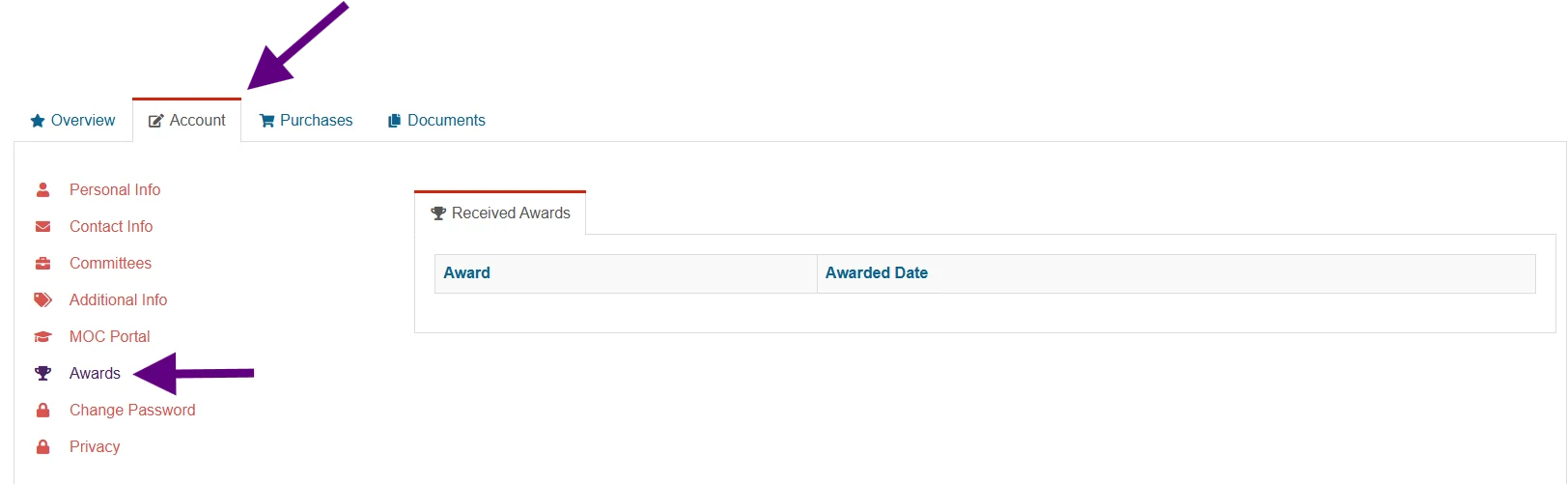
Use the Awards section to see ACVP honors you have received. For award nomination opportunities, check the award pages on the ACVP website during the relevant nomination windows.
What information can I edit in my profile?
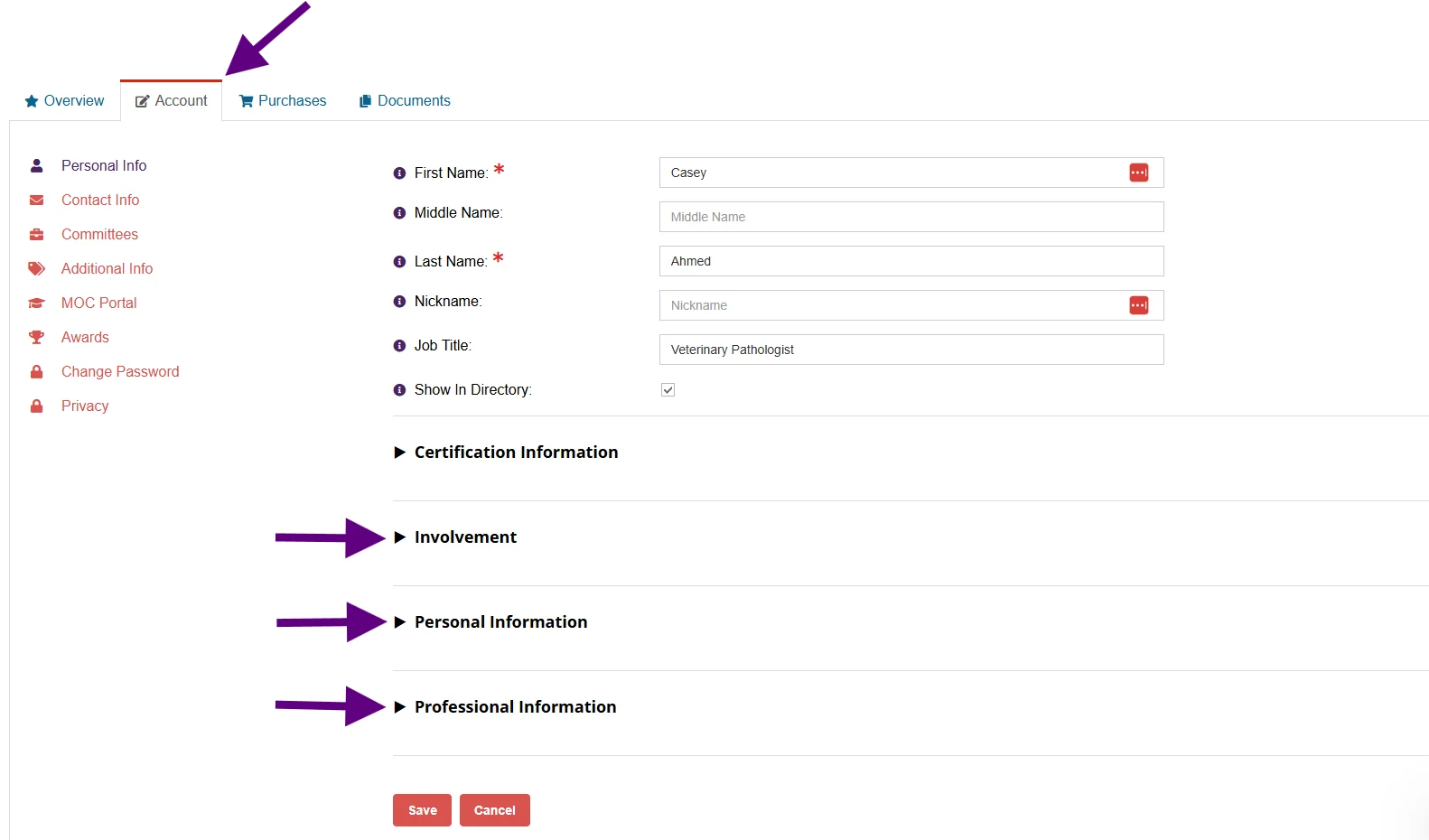
Under the Account tab, you can update personal details, professional details, contact information, committee interests, credentials, and other items that help keep your ACVP record complete. You can enter demographic or professional information you are comfortable sharing, including education, employment setting, and areas of specialization. If you are a training program coordinator, pathology club faculty advisor, or pathology trainee, provide information relevant to those pathology roles to ensure receipt of targeted messages for those contingencies.
Can I update my professional designations and licenses?
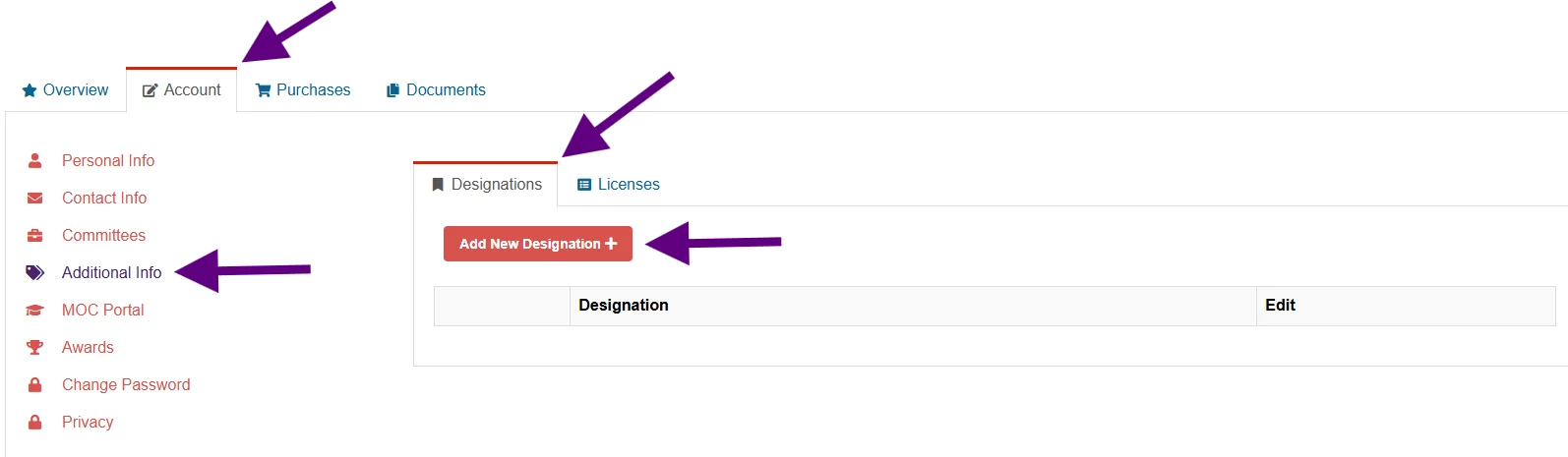
Yes. Use Additional Info to update or add professional designations (credentials) and veterinary license details for North American continuing education reporting.
ACVP Connections
How do I stay current with ACVP?
Keep your profile, contact information, and committee interests up to date so you can receive ACVP communications and relevant opportunities. Active members also have access to member-only resources, including educational webinars, the membership directory, the monthly newsletter, and volunteer opportunities.
- Volunteer interests – Select current committee and working group interests to be considered for future volunteer opportunities.

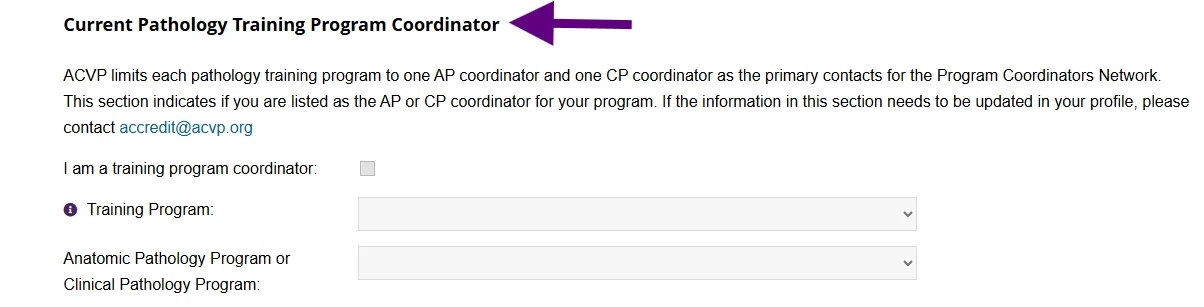
- Training program coordinators – Contact [email protected] to inform the College of your changing leadership role at a pathology training program.
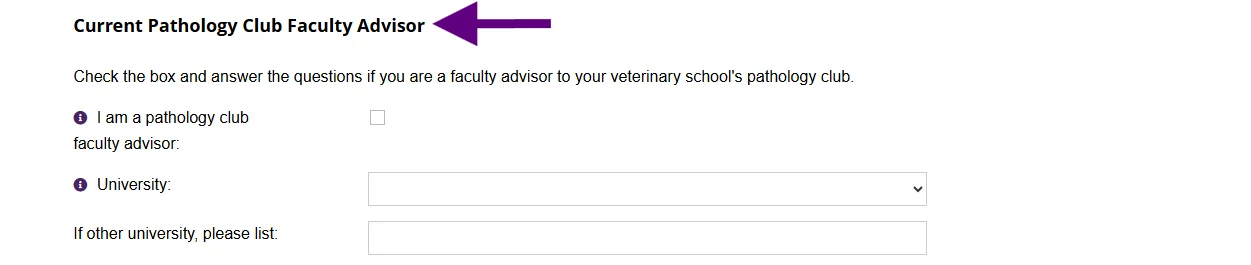
- Pathology club faculty advisors – Update your record to add or remove details about your work with your institution’s ACVP-recognized pathology club. If you are moving in or out of a faculty advisor role at your university, please email [email protected] to ask ACVP to update the pathology club contact information on the website.
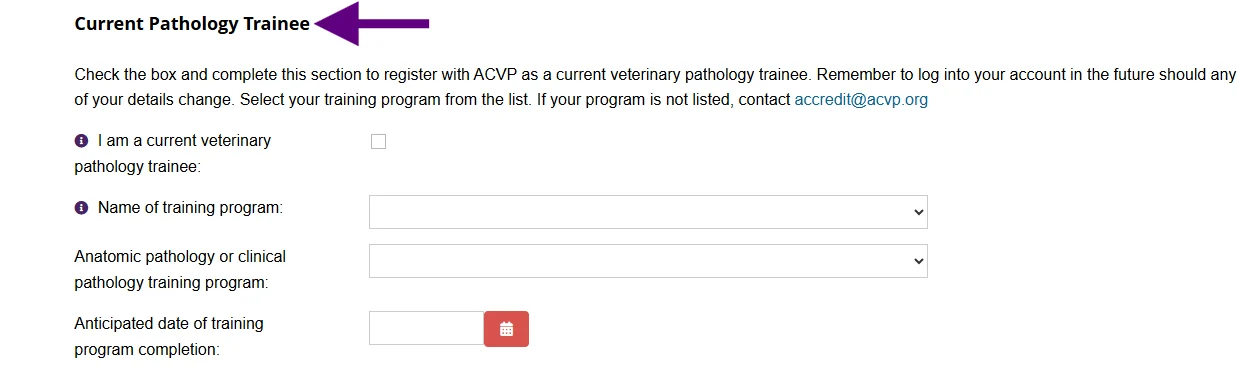
- Current or recent pathology trainees – Enter details about your current or recently completed training to ensure connection with ACVP about certification, education, and opportunities unique to trainees. To enjoy ACVP member benefits before achieving ACVP board certification, consider joining as a Trainee Affiliate member.
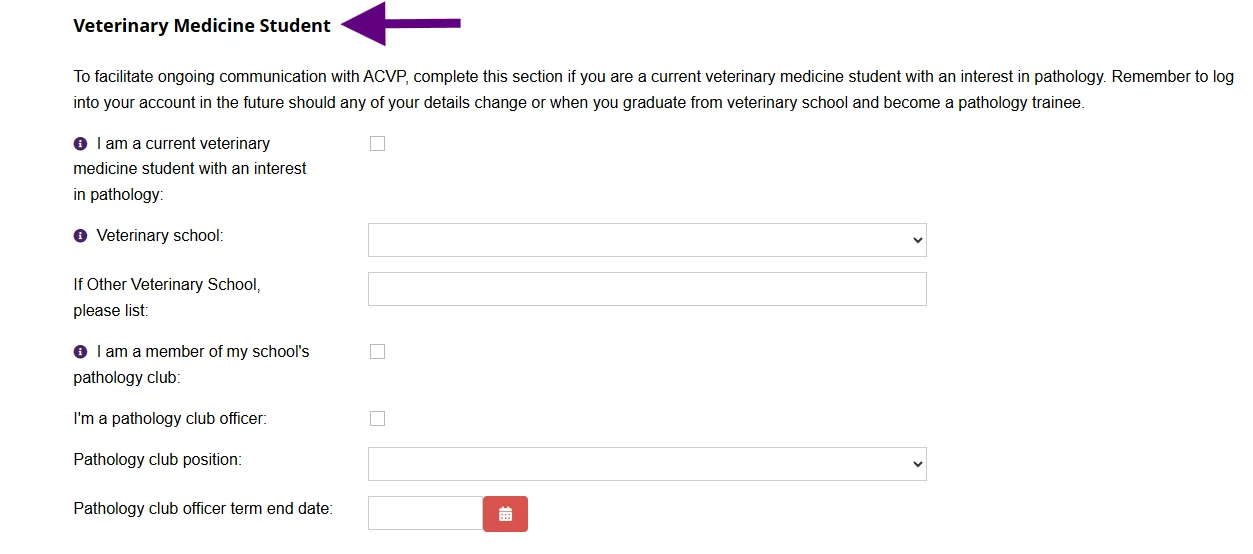
- Veterinary students – Stay connected to ACVP and receive communications for veterinary students with an interest in pathology by marking your customer record as a veterinary student. Note your participation in an ACVP-recognized pathology club as a member and/or a student officer.
How do I get involved and support ACVP?
Maintaining active membership is the first step in helping to shape the veterinary pathology profession and contribute to the College’s mission. Update your committee interests in your profile to indicate how you would like to get involved. You can also support ACVP through donations and participation in programs and educational activities.
I am a current or recent pathology trainee, how do I stay informed and connected with ACVP?
To stay in touch with ACVP and be notified of offerings and information designed specifically for pathology trainees, create and maintain an ACVP MyPath account. Be sure to note details about your training program. To enjoy ACVP member benefits before achieving ACVP board certification, consider joining as a Trainee Affiliate member.
I am a veterinary student interested in pathology, how can I learn more about ACVP?
To stay in touch with ACVP and be notified of offerings and information designed specifically for veterinary students, create and maintain an ACVP MyPath account.
I am a pathology club advisor, how can I be kept informed about ACVP information for me and my students?
To ensure receipt of important information of interest to pathology club advisors and their students, note your pathology leadership role in your ACVP My Path account. If you are moving in or out of a faculty advisor role at your university, please email [email protected] to ask ACVP to update the pathology club contact information on the website.
I am a training program coordinator, how can I add this pathology role to my MyPath account and gain access to the ACVP Teams Program Coordinators Network?
To add or remove yourself as the primary contact / coordinator at your pathology training program, contact [email protected]. ACVP limits each AP and CP program to one individual on its mailing list and ACVP Teams Program Coordinators Network.
What member resources can I access?
ACVP members can access content such as educational webinars and webinar recordings, the membership directory, the monthly newsletter, the Career Center and committee or working group opportunities via members-only pages visible only after logging into to your MyPath account. Keeping your membership active helps ensure uninterrupted access to these benefits.
How do I update committee interests?
Use the Involvement section under Personal Info to indicate your ACVP volunteer interests and relevant veterinary pathology roles. This helps ACVP identify members for leadership and service opportunities.
How do I see my current committee assignments?
Your current active committee positions appear under Committees. If you believe something is incorrect, contact [email protected].
Certification and MOC
Can I update my certification information?
Your ACVP certification information appears in your account, but it can only be edited by ACVP staff. If a correction is needed, contact [email protected].
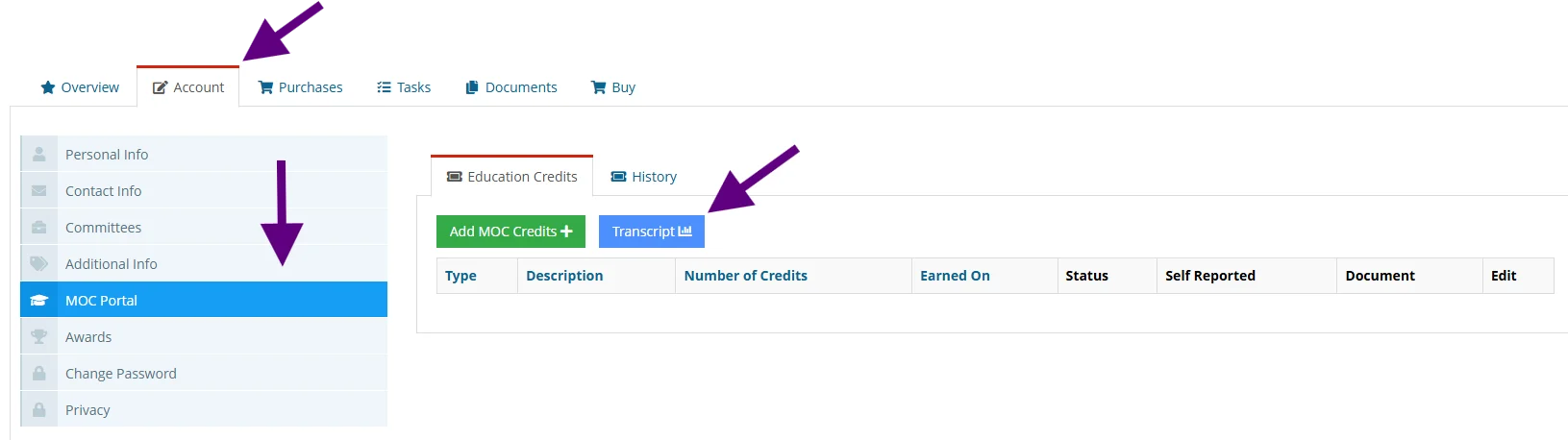
Where do I find my MOC transcript?
Use the MOC Portal in your MyPath account to review, edit, and download your Maintenance of Certification transcript. You can also add missing documentation there if needed.
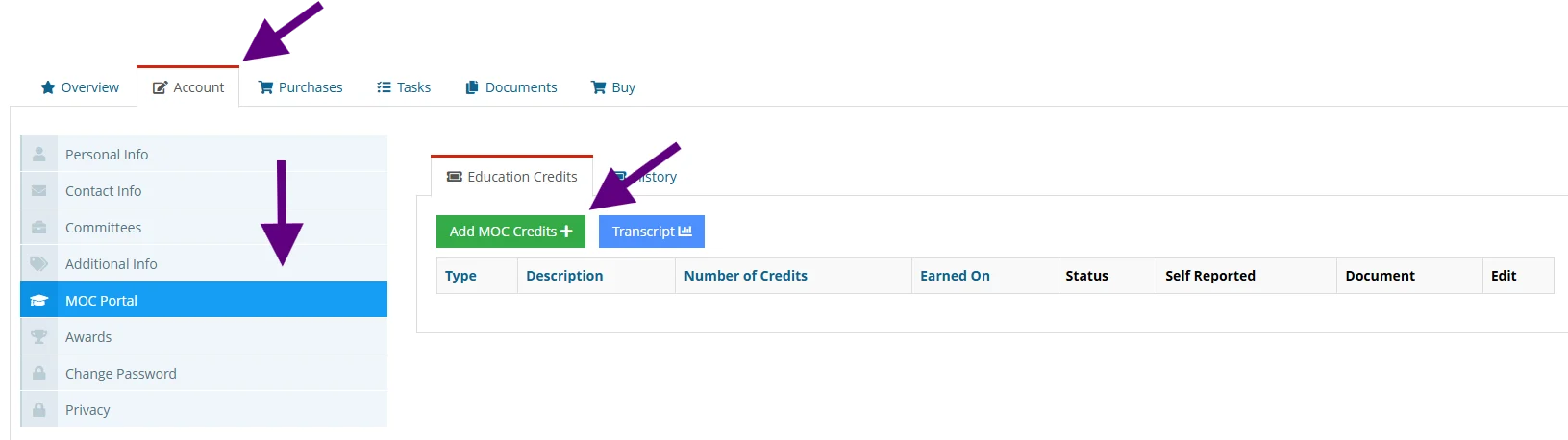
How do I record MOC credits?
Maintenance of Certification credits are self-reported, via the MOC Portal in your MyPath account and must be added by the annual September 30 reporting deadline for activities completed during the previous 12 months, October 1 through September 30. ACVP does not allow late reporting.
Do I need active membership to report MOC activity?
MOC Portal access is included in Diplomate membership. Diplomates who choose not to maintain active ACVP membership may purchase an MOC subscription to enable reporting.
Purchases and Records
Where can I see my recent purchases?
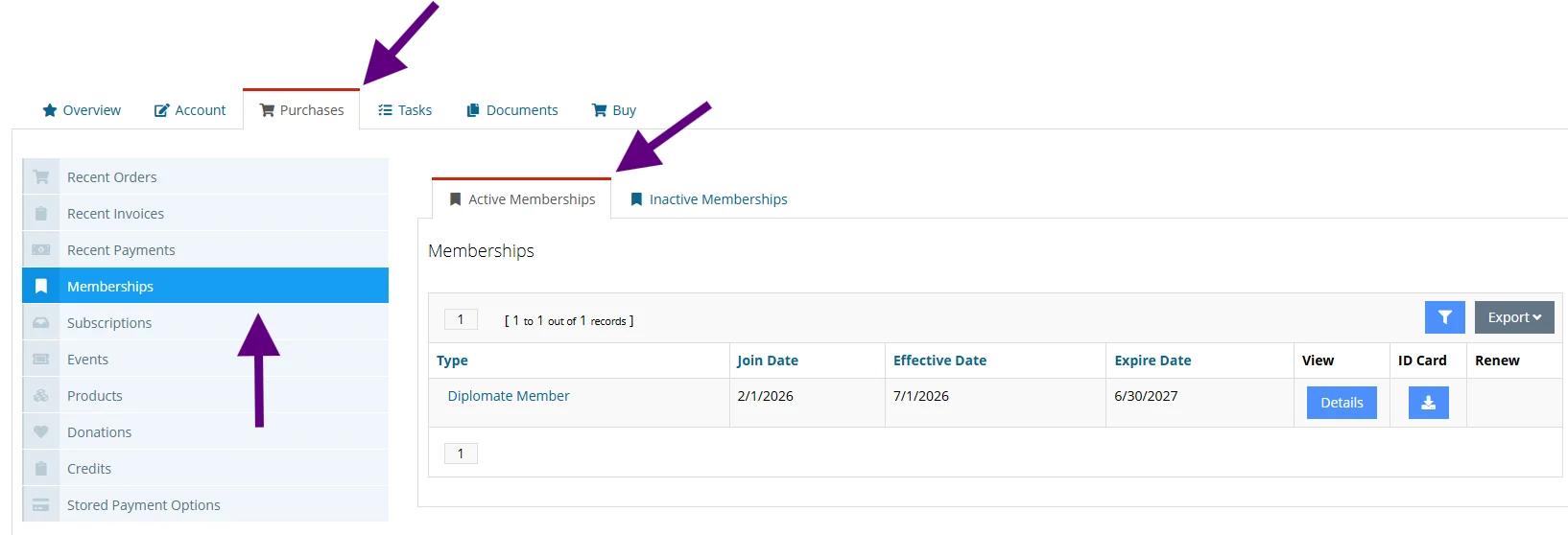
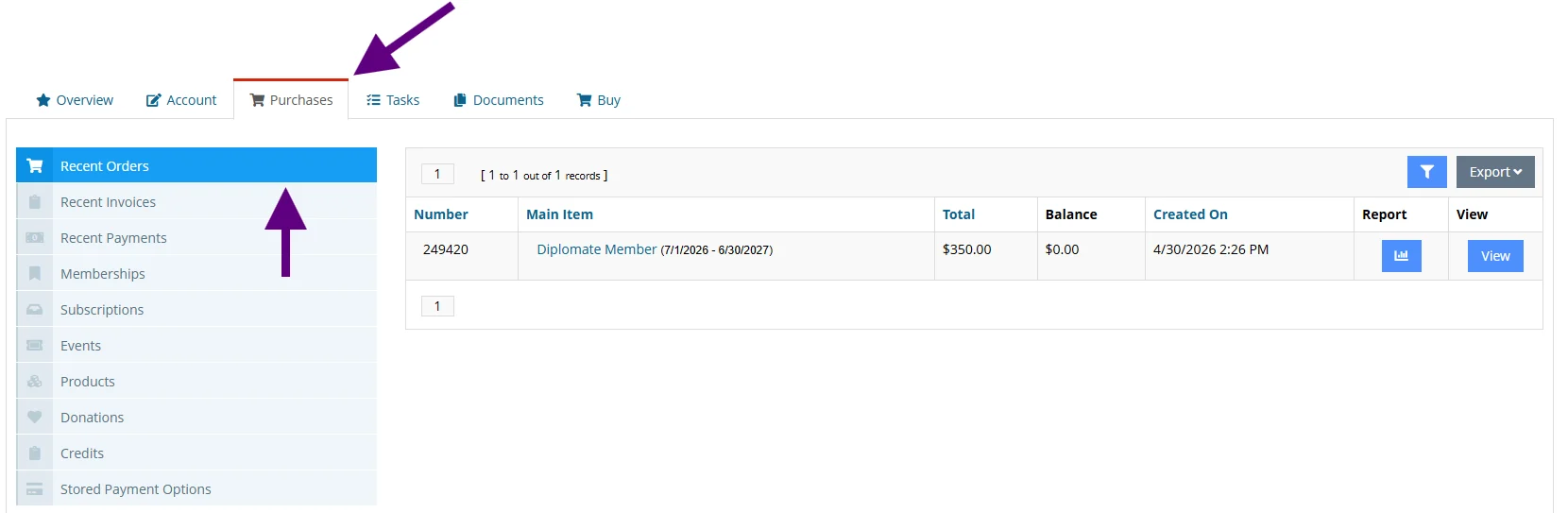
The Purchases tab shows recent transactions such as ACVP memberships, Annual Meeting registration, examination fees, MOC subscriptions, and donations. This is a helpful place to confirm whether a renewal or contribution was completed.
How do I confirm whether my membership payment went through?
Check the Overview tab for open invoices and the Purchases tab for completed transactions. If you do not see the expected renewal, verify that you were signed into the correct account using your primary email address.